Compliance Connection on a page basis

Regarding compliance connections, when utilizing compliance links on a page:
When inserting the 'Compliance Connections' module, it generates a table listing all compliance links for a specific document. However, there are cases where it would be advantageous to display a table indicating the compliance connections on a particular page or within a specific chapter.
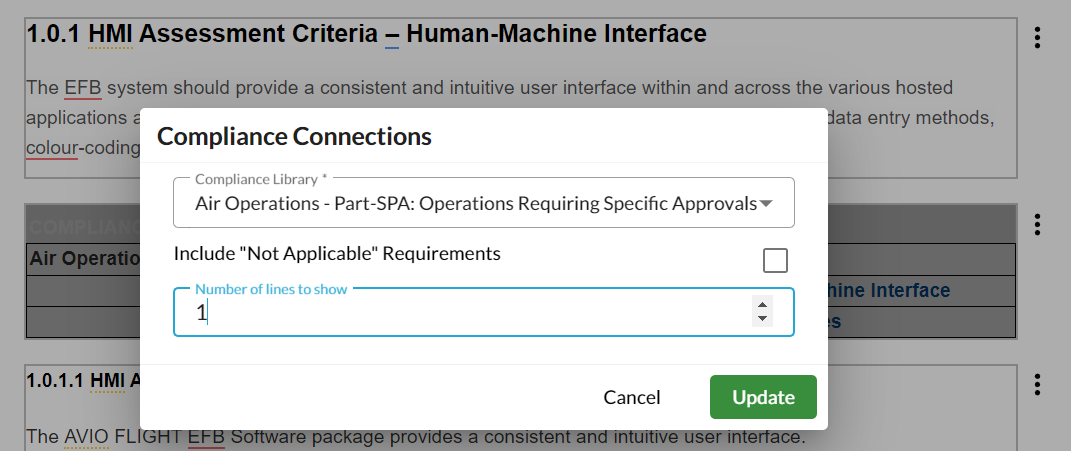
Currently, achieving this requires a workaround. The manual must be structured in ascending order, and the 'Compliance Connections' module is inserted on relevant pages. The number of rows in each module is strictly controlled, causing the compliance connection to shift to the next available 'Compliance Connections' module.
It would be beneficial if the 'Compliance Connections' module could not only function for the entire manual but also be activated for a specific page or chapter, indicating the connections made on that specific page or within that chapter.
In some manuals, editors commonly write the regulatory link like CAT.GEN.MPA.XXX under the header to signify connections. However, automating this process through a module would be highly preferable.
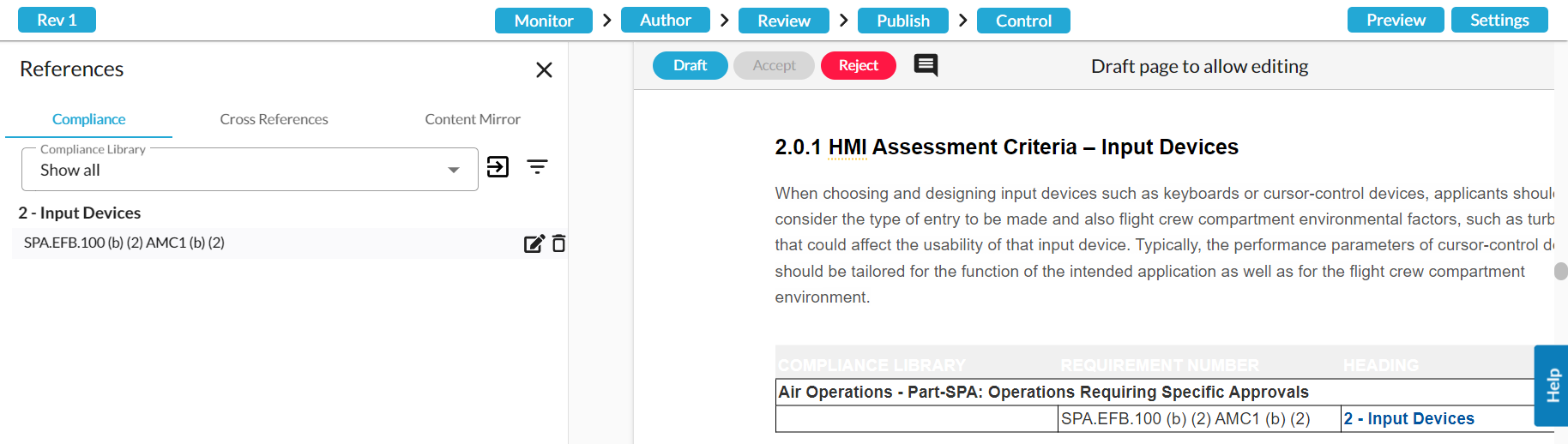
Below is an example from the HMI document where SPA.EFB.100(b)(2) AMC1 (b)(2) is linked to this particular page, and we want to show it one the page.
However,to achieve that, rows must be strictly controlled:
Is there a different way to achieve a gathering of compliance links on a page, outside of the above workaround?
Comments
Dear Nicolai Zahle Laursen,
You do not need to write the compliance under the heading, once the connexion is made, it is automatically generated under the title if you have ticked the correct settings. Go to System --> Settings --> Under Compliance Libraries, click on General --> Tick Editor, review and/or Reader next to "Enable Compliance connections displayed under heading"
For this reason, we will not build a module per page. You can also view your connections per page by clicking on Monitor --> Compliance --> Filter Group by "Heading (show only current page)"
We would be interested to know what is the use case to have this module for per chapter. As we haven't heard this request before we wanted to know how it would be used.
Please sign in to leave a comment.