The top 5 features that I like the most in new UI (09-22 release)

Thanks to the great feedback that we received from Web Manuals user community, our team has worked tirelessly on the new UI. Here are the top 5 features that I like the most about the new interface.
1. Fix all the warnings with just one click.
You can update the LEPs and Change Log with one click. Now you can fix the warnings with one click as well.


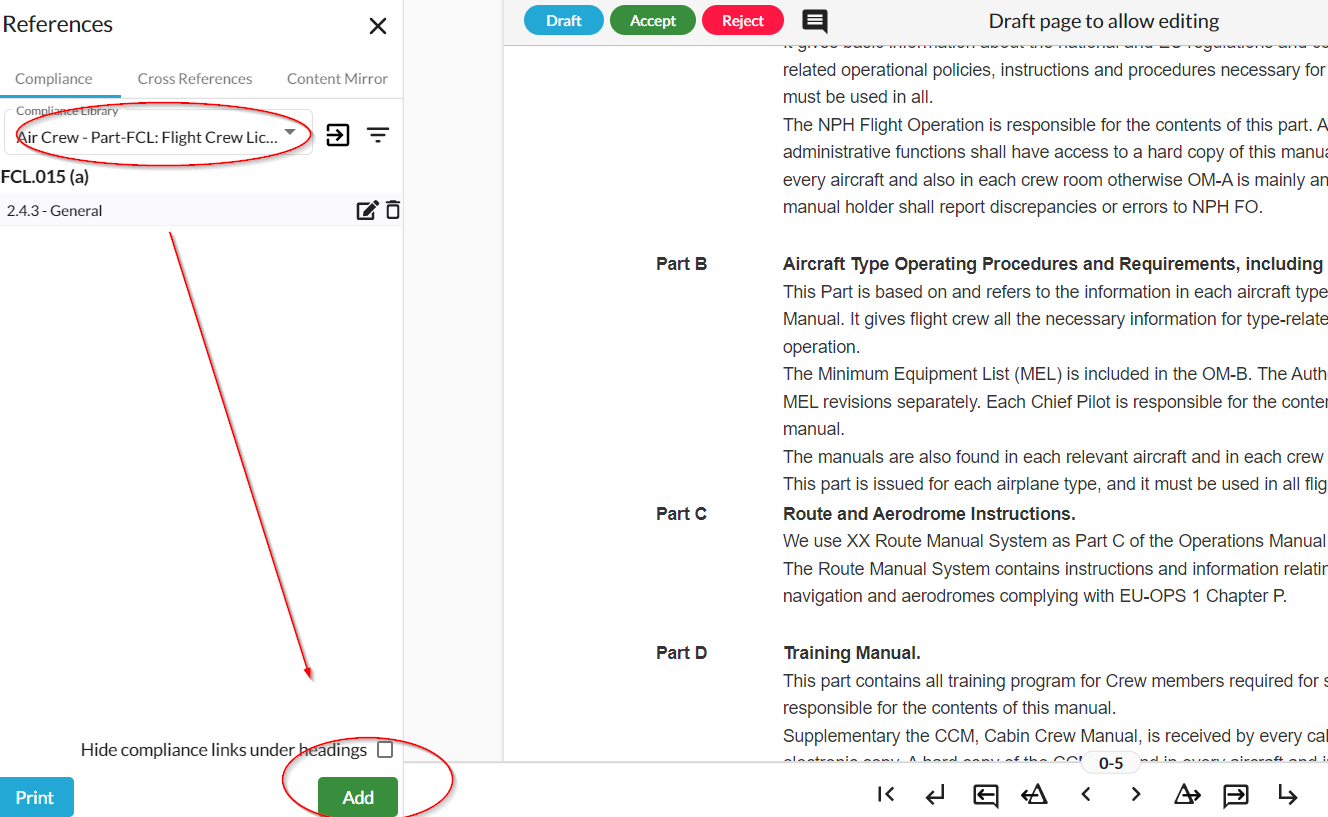
2. Add Compliance Library links while editing your manuals.
Don't want to leave the document to add a Compliance Library link? Do it during your editing.
3. One button specifically designed for Word import
Now users could import their manuals from Word format to Web Manuals with the help of just one button. You will see a video instruction once you click the button. Word import has never been easier!

4. Draft, Accept and Reject buttons now move
You don't have to go up again to click 'Accept' anymore. The new UI will allow you to click whenever you want. Small change, big help!

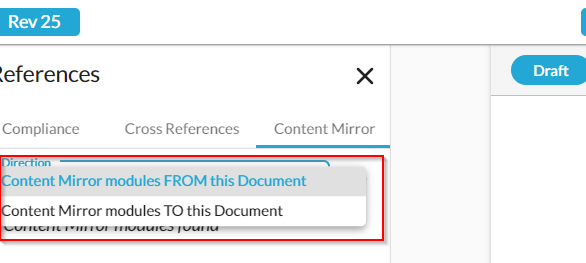
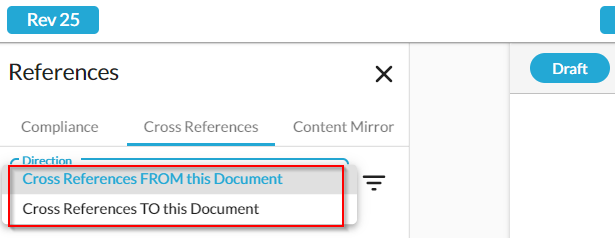
5. Cross Reference links and Content Mirror
You can now check Cross References from/to one document, and Content Mirror modules from/to one document. Amazing isn't it?
Here are the top 5 features I like in the new UI. What about you? Leave your comments below.
Comments
Please sign in to leave a comment.